Tasks
Put a filtered list of tasks on a canvas.
A tasks widget shows a filtered list of tasks on the canvas, so work sits next to the numbers it relates to. For the shared editor mechanics, see Build a canvas.
Configure it
The tasks widget is bound to the built-in Tasks object, so there's no data source to choose and no columns to pick. Its editor has a single Filters & Sorting panel:
- Filters narrows the list, for example to a status, an assignee, or a due date, using the same filter builder as data views.
- Sort by sets the order.
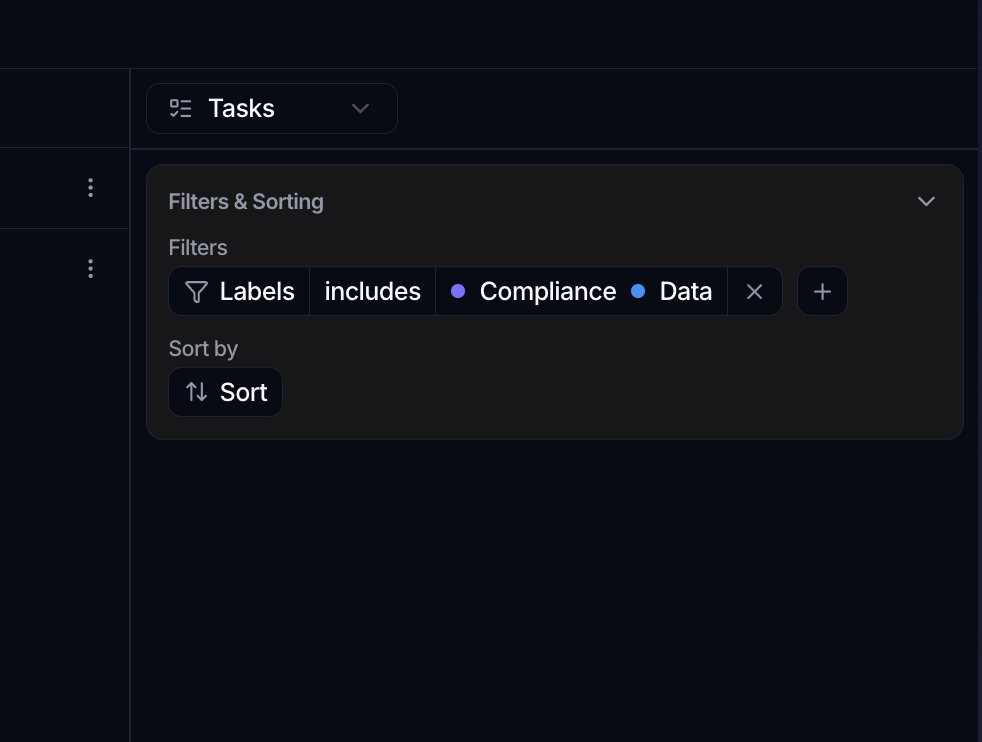
Working with the list
In view mode the widget shows the matching tasks with a filter control in its header. Rows are interactive:
- Click a task to open its detail.
- Right-click a task for its actions.
- Edit task fields inline where the widget allows it.
The list pages through results, with a Rows per page selector and a footer that counts the tasks shown.
Export
From the widget's ⋮ menu you can Export Chart to download the displayed tasks as a CSV, or Export card to save the list as a PNG. Expand opens it in a large modal.
Let the widget size itself
The Display panel has an Auto-fit height of canvas switch. Turn it on and the card takes the height its content needs rather than the grid rows you drew, up to a ceiling past which it scrolls. It suits a task list that grows, where guessing the right height means either wasted space or a widget that overflows. See Build a canvas.