Any Provider In. Any System Out.
Pull data in, push data out, and keep systems in sync through a large library of integrations, available in your workspace.
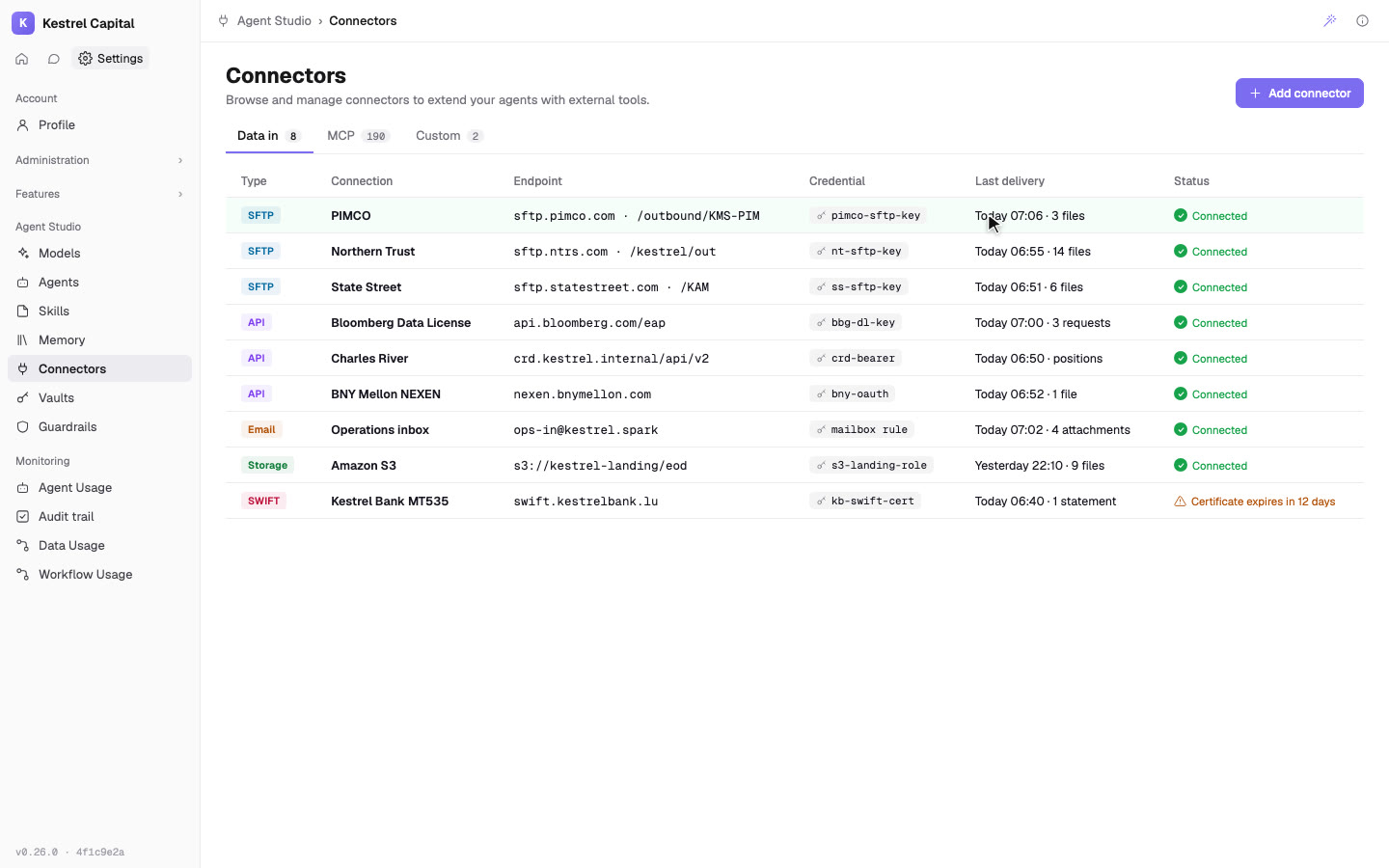
Connect Anything. Keep Every Key Safe.
SFTP, APIs, inboxes, storage and SWIFT, each with its credential in the vault.
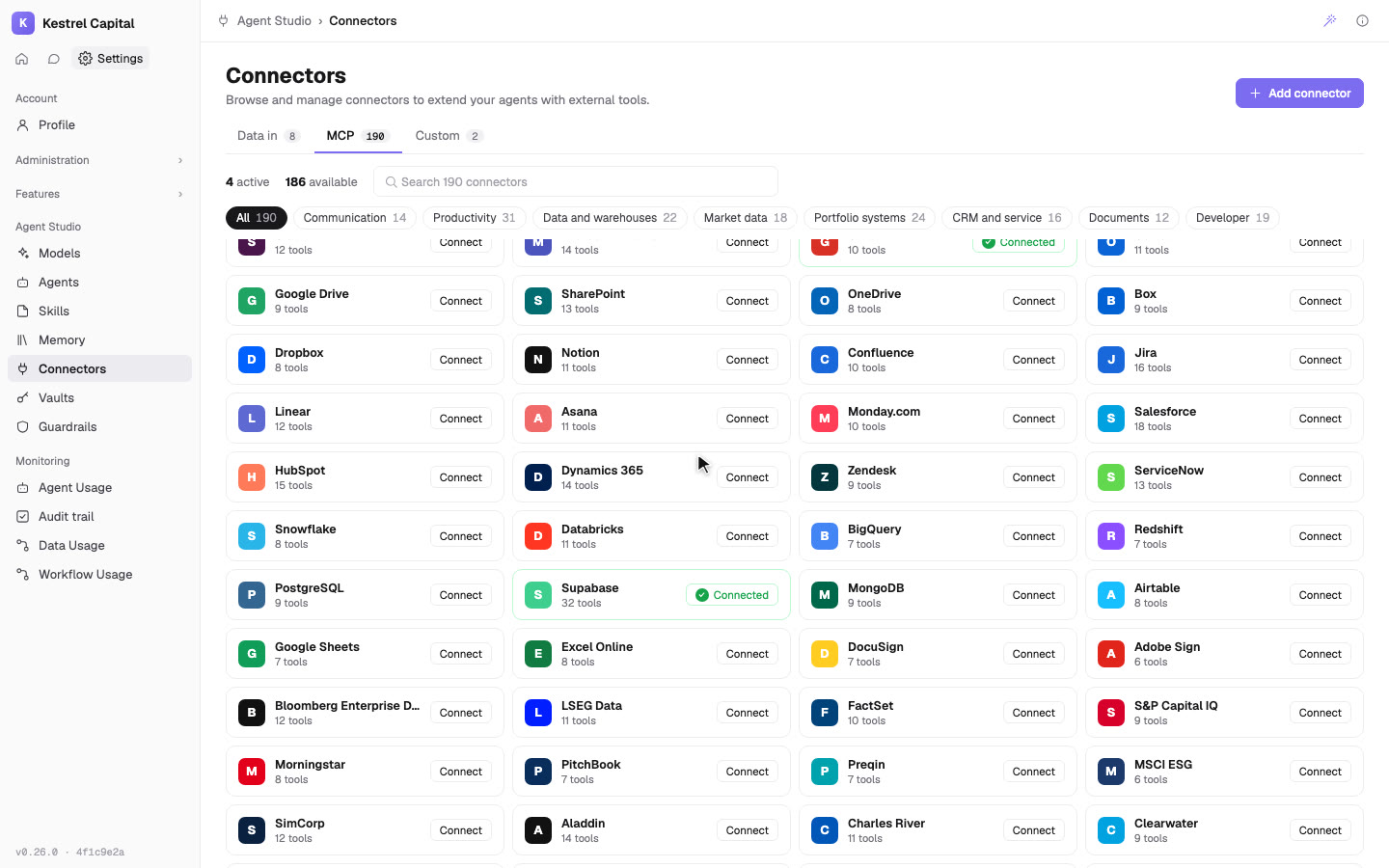
Bring Data In From Any Provider
Pull provider files through ingestion connectors (e.g., IBOR/ABOR feeds).
Ingest data via REST endpoints into Spark data objects.
Upload files directly into the workspace for processing and storage.
Process PDF, CSV, XLS, TIFF and other inputs in the same ingestion pipeline.
Store each received file object into a dedicated client bucket before processing.
Start flows on file received, records created, record updated, manual runs, or schedules.
Connect to the Tools Your Ops Teams Already Run
Bidirectional Sync
Ingest and push data to custodians, fund administrators, market data providers, and reporting systems.
API + File-Based Connectivity
Use APIs when available, or run integrations through secure file exchanges when they aren't.
Productivity + Collaboration Tools
Integrate with email, chat, document storage, BI, and scheduling tools (e.g., Outlook/Teams, Drive/SharePoint, Power BI/Tableau).
Document & File Retrieval
Search, fetch, and route files from enterprise storage via workflow actions (e.g., "Search files" / "Fetch file").
Data Warehouse Access
Query cloud data platforms directly inside workflows (e.g., "Run warehouse query" / "Execute SQL").
Email & Calendar Automation
Trigger workflows from messages/events, or look up communications and meetings as part of a process (e.g., "Search emails" / "Search calendar events").
Send Data and Outputs
Unified API
Query and manage all data through a single API surface.
JSON/CSV Responses
Return API responses as application/json or text/csv for downstream consumption.
HTTP Requests
Call external endpoints with the "Send HTTP Request" workflow action.
PDF Outputs
Generate PDF reports from clean, harmonized, enriched datasets as a workflow step.
Teams Notifications
Post workflow status updates and processing notifications to a Teams channel.
Email Dispatch
Send emails from workflows using the built-in collaboration actions.
Control Security for Every Integration
OAuth2 Bearer Tokens
Authenticate API calls using short-lived bearer tokens generated via a separate token call.
Client API Secret
Authenticate requests using a shared client API secret included in request headers.
IP Whitelisting
Restrict API endpoint access to approved IP ranges.
Rate Limiting
Enforce default limits (10 requests/second) with the option to increase.
SSO + Access Controls
Add SSO/SAML and workspace permissions to manage who can access what.
Audit Logs
Enable audit logs and retention settings for traceability and review.
Enhance Your Agentic Tools
Tool Connectivity (MCP)
Connect external tools as callable capabilities for agents.
Get Started with Integrations