Reading and editing
Why reading a surface is separate from changing it, and what each mode does and does not gate.
Most of what people do in Spark is read: scan a grid, check a number, follow a column down a list of records. Changing the data is the rarer act, and the more consequential one. So the surfaces where both are possible, the record grid and the canvas, keep them apart: reading is the default, and changing requires entering edit mode.
Two kinds of change
The distinction that matters is not "read" versus "write". It is which of two very different things you are changing.
| You are changing | Example | Gated by edit mode |
|---|---|---|
| The data | A record's value, a widget's presence on a canvas | Yes |
| How you are looking at it | A filter, a sort, column order, which columns show | No |
Filtering, sorting, reordering and hiding columns are how you read. Locking them behind a mode would make the common act harder in order to protect against the rare one. So they stay available all the time, and only changes to the data itself need the mode.
That is why a grid in reading mode is still fully navigable: shape it however you need, and none of it can alter a record.
In a data view
A record grid opens read-only. Every cell is inert, so scanning a column cannot change what you are looking at, however you click.
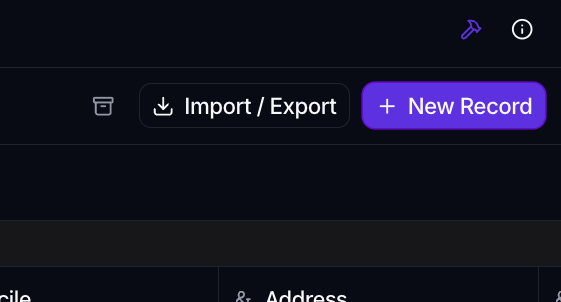
The pencil at the top right of the grid toolbar turns edit mode on and tints to show it. Cells you have permission to edit become editable, and your edits are held locally until you save them, so there is still a deliberate step between typing and writing. Leaving edit mode with pending changes asks before discarding them, and so does closing the tab.
See Add, edit & import records.
On a canvas
A canvas follows the same idea for its layout. Viewing a canvas, you can interact with widgets, sort a table by clicking a column header, switch a chart's date window, and expand or export a card. None of it changes the saved canvas.
Edit Canvas is what lets you move, resize, add and configure widgets. Saving keeps the layout; closing with unsaved changes prompts first.
The one exception is deliberate: a table widget with Record editing turned on lets viewers edit records from the canvas, because sometimes the dashboard is the right place to correct a value. That is a choice the canvas author makes per widget.
Why it works this way
An accidental edit is recoverable only if you notice it. A grid that showed a new value the moment you mis-clicked would let you quietly corrupt your own reading of the data, and a save is never far away when the button is already in the toolbar you are reaching for.
Making the mutable state visible, and entering it on purpose, means that anything you change, you meant to change.