Connectors
Extend your agents with external tools, including over MCP.
Connectors extend your agents with external tools and data, including over MCP (Model Context Protocol). Unlike workspace Integrations, which move files and data in and out, connectors are about what an agent can reach and act on. They live under Settings, in the Agent group, not under Administration.
The Connectors page
Open Settings, then Connectors under Agent. The page browses the available connectors. Each has a Manage action that opens the connector, where its tools and skills are organized into tabs so you can control what an agent may use.
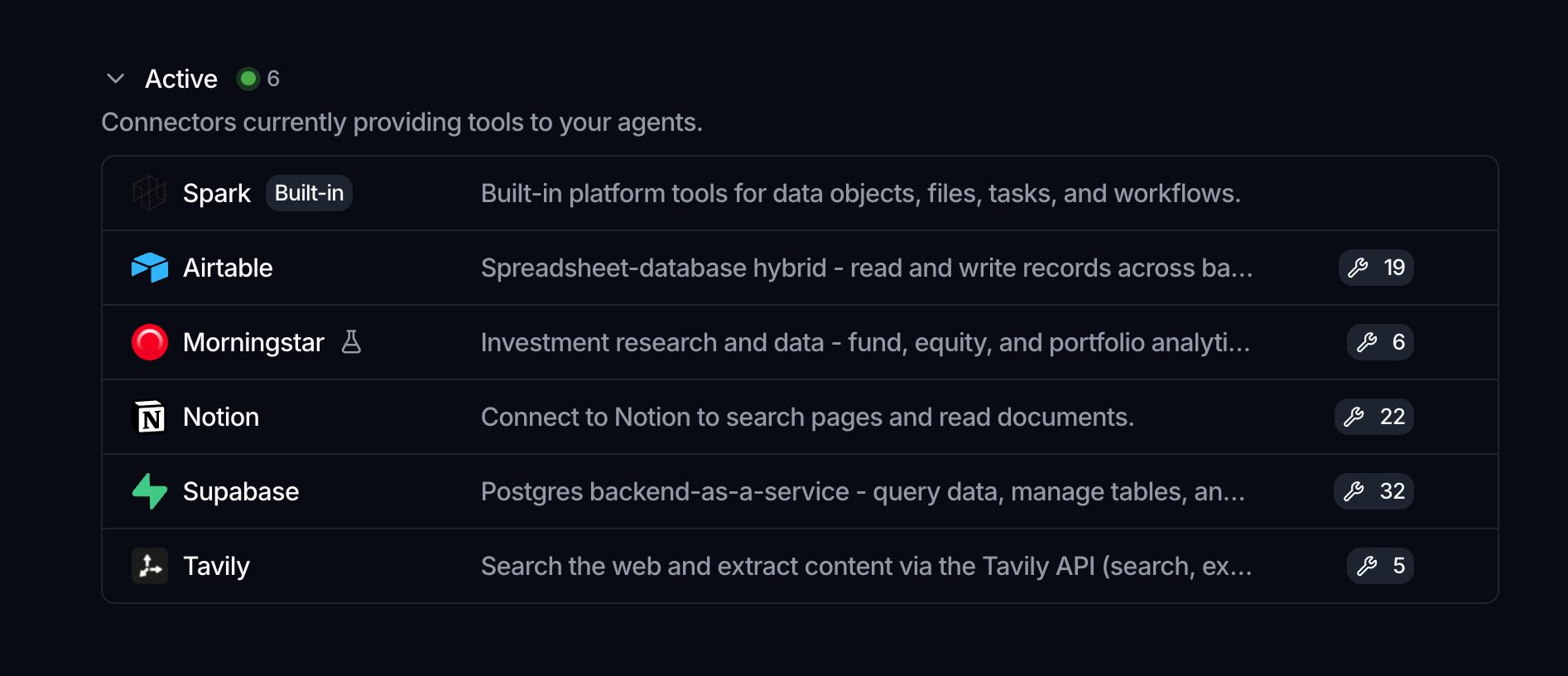
Each row also shows how the connector authenticates: API Key, OAuth 2.0, or Service account. That decides what you are asked for when you connect an account to it.
For the full setup, including activating a connector and enabling individual tools, see Connectors (MCP) in the Agent section. For the account a connector acts as, see Connect an account.
Credentials that connectors and integrations rely on are stored in Vaults, so an agent can authenticate without exposing secrets. OAuth connections are refreshed centrally, so there is nothing to renew per agent.
Where to go next
- Set up a connector in detail: Connectors (MCP)
- Connect an account to one: Connect an account
- Store credentials safely: Vaults
- Move data in and out instead: Integrations