Connectors (MCP)
Connect agents to external tools and data through MCP connectors.
A connector plugs an outside service into Spark so your agents can use it. Connectors follow the Model Context Protocol (MCP), an open standard for exposing tools and data to AI agents. Each active connector contributes a set of tools that you can then add to an agent.
Activating a connector and connecting an account are two separate steps. This page covers activating one and controlling its tools; for the account it acts as, see Connect an account.
Open the Connectors page
- In the left sidebar, open the Settings tab.
- Under Agent, select Connectors.
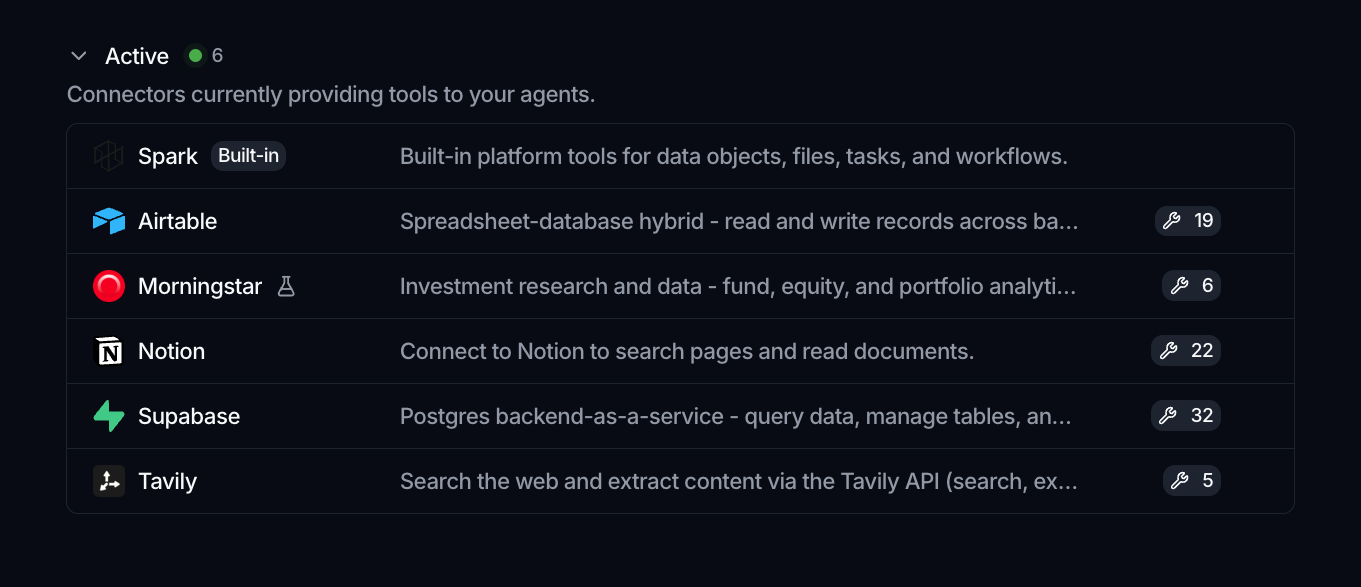
The page splits connectors into two sections:
- Active: connectors currently providing tools to your agents.
- Available: connectors you can activate to unlock additional tools.
Each row shows the connector's name, a description, the number of tools it provides, and how it authenticates: API Key, OAuth 2.0, or Service account. Spark is the built-in connector: it exposes the platform's own tools, is always active, and cannot be deactivated. Connectors marked as experimental show a flask icon and may not be fully wired yet.
Activate a connector
- Find the connector in the Available section.
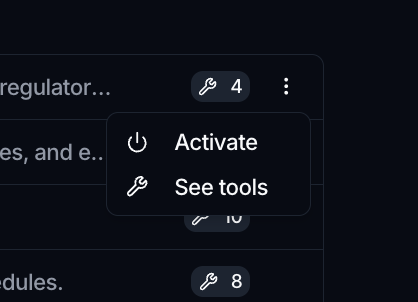
- Open its more menu (⋮) and choose Activate.
To preview what a connector offers before turning it on, use See tools from the same menu. Once active, a connector's tools become selectable in the agent editor.
Manage or turn off a connector
From an active connector's more menu (⋮):
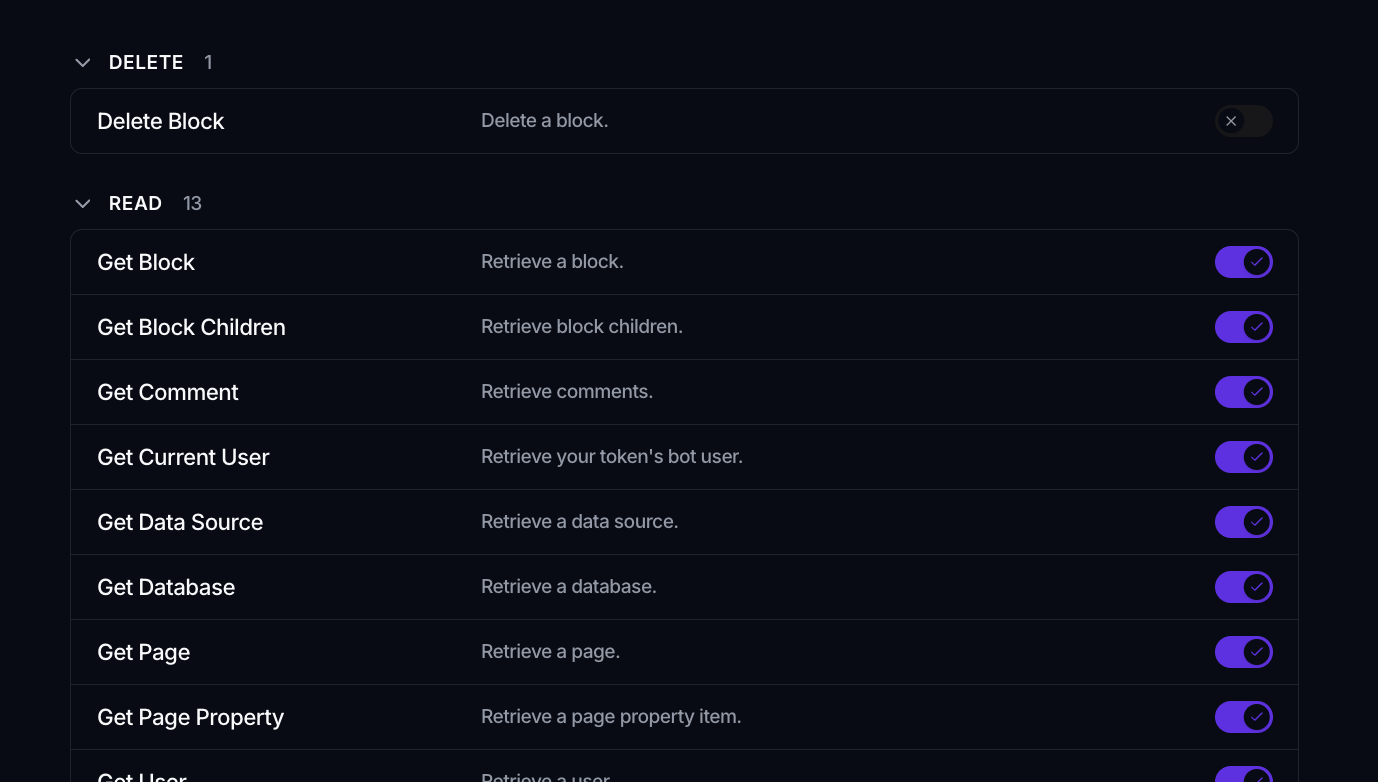
- Manage opens the connector's detail page, where its tools are grouped by area (for example read, update, write) and each has an Allow toggle so you can enable or disable individual tools across the workspace.
- Deactivate stops it from providing tools (not available for the built-in Spark connector).
What is in the catalog
The catalog covers three broad kinds of service, and it grows between releases, so treat the page itself as the list rather than anything written here:
- Productivity and collaboration, for example Slack, Notion, Gmail, Google Calendar, Google Drive, HubSpot, Monday, Intercom and Airtable.
- Market and reference data, for example Morningstar, MSCI, FactSet, LSEG, Moody's, S&P Global, ICE Data Services and Clarity AI.
- Cloud and infrastructure, for example BigQuery, Cloud Storage, Cloud Logging, Cloud Run, Cloud SQL, Firestore, Supabase and Tavily.
The Google Cloud connectors authenticate with a service account key rather than a user sign-in, which suits an agent reading a warehouse on a schedule. See Connect an account.
Each connector's tools are loaded independently of the others, so a connector that fails to respond does not take another connector's tools down with it.
Credentials live in vaults
Activating a connector does not ask for a password. Connectors that need to authenticate read their credentials from a vault at the moment the agent runs. You add the connection in a vault, and bind the vault to the agent. See Connect an account for the three ways a connector authenticates, and Vaults for where credentials live.