Chat with an agent
Have a conversation with an agent and let it act on your workspace.
Chat is where you actually use an agent. You ask a question or give a task, and the agent responds, calling its tools and skills as needed to work with your data, files, and workflows.
Start a new chat
- In the left sidebar, open the Chat tab.
- Click New chat.
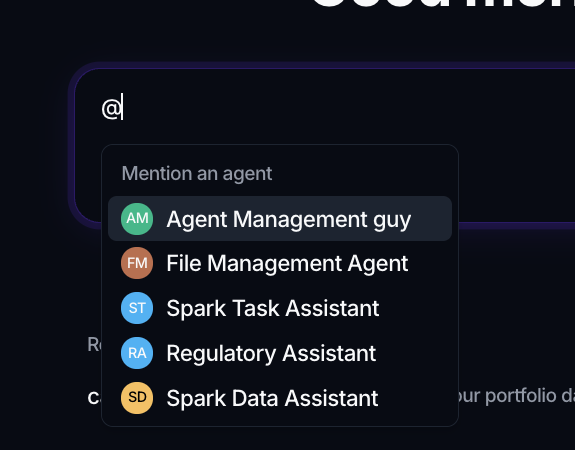
- In the composer, type @ to bring up the agent list, then pick the agent you want. This tags the agent as the recipient.
- Type your message and send it.
Before you tag an agent, the composer prompts you with Type @ to pick an agent…. Once an agent is tagged, the placeholder changes to How can I help you today?. If the workspace has no agents yet, the composer links you straight to where you can create one.
Attach files
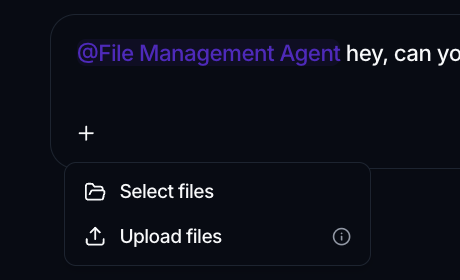
Use the Add (+) button in the composer to bring files into the conversation:
- Select files picks existing files from the workspace.
- Upload files uploads new ones from your computer.
There is a per-session limit on how many files you can attach, shown in the menu.
What the agent can do
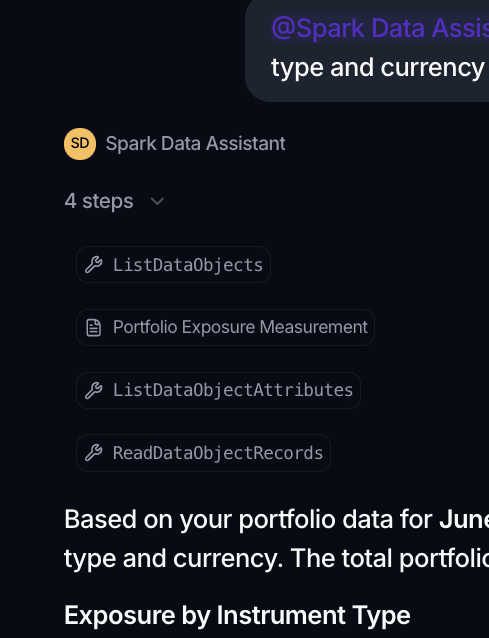
During a chat, the agent works from its instructions and the capabilities you gave it. It can call Tools to take actions and load Skills for extra guidance. As it works, the conversation shows its reasoning and the tool calls it makes, so you can follow along and see how it reached an answer. To change what an agent is allowed to do, edit its configuration (see Create an agent).
Long answers keep running
Some requests take a while. As the agent works, the message shows a Thinking indicator with its live reasoning and the tools it is calling; when it finishes, that collapses into a short N steps summary above the answer.
The work happens on the server, so you don't have to sit and wait. Move to another page, or even refresh, and come back to the same chat: the answer is either still arriving or already complete, with its reasoning steps preserved.
Find past chats
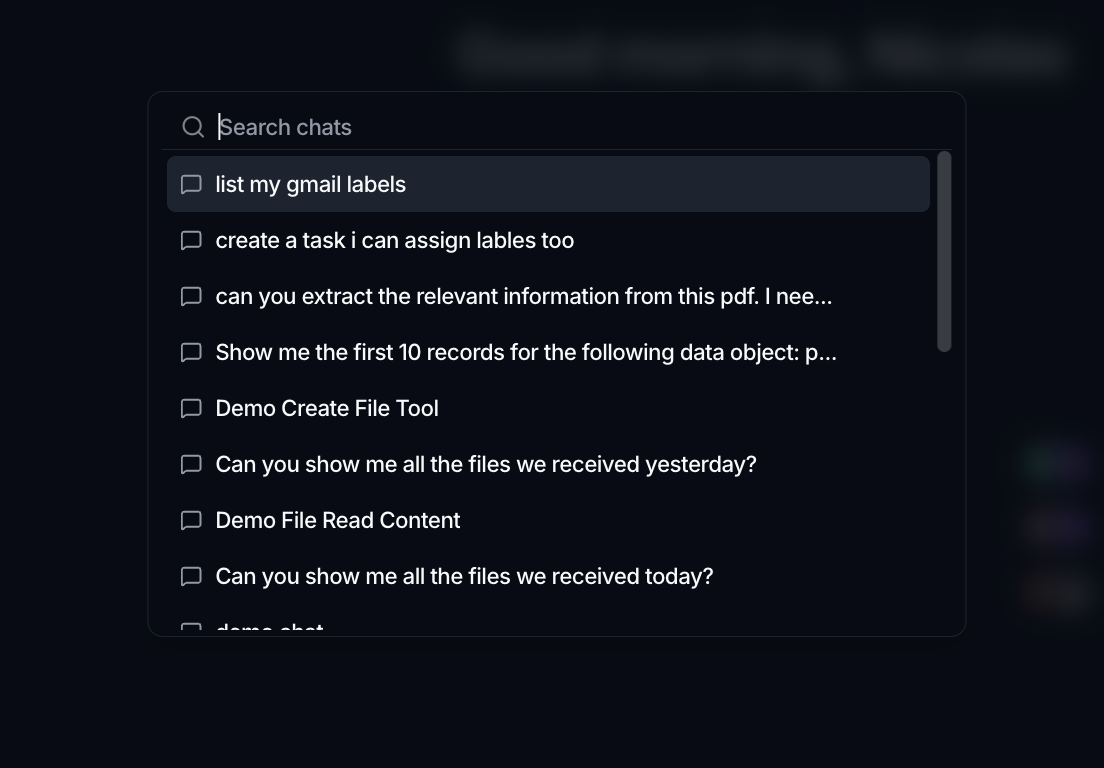
Chats are saved automatically. From the Chat tab you can browse your recent chats, use Search chats to find one by content, and reopen any conversation to continue it.