Invocation
Split automation into reusable pieces by having one workflow invoke another, and track invocations with trigger states.
You can split a large automation into reusable pieces by having one workflow invoke another. The parent runs an Invoke Workflow action, and the child workflow is made invokable so it can be called. Whether the child actually fires is gated by the inputs it requires, which you can follow in the Trigger States tab. For the building blocks, see Build a workflow.
Make a workflow invokable
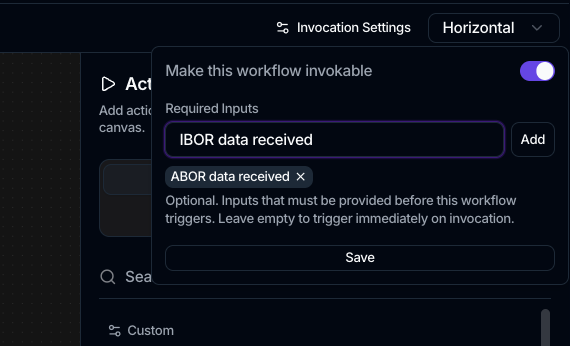
Before a workflow can be called by another, turn on its invocation settings:
- Open the child workflow and click Invocation Settings in the top bar.
- Turn on Make this workflow invokable.
- Optionally add Required Inputs: type an input name and press Enter (or click Add) for each one. These are the inputs that must be provided before the workflow triggers; leave empty to trigger immediately on invocation.
- Click Save.
Invocation settings aren't available for scheduled workflows, which are started by their schedule instead.
Invoke it from a parent workflow
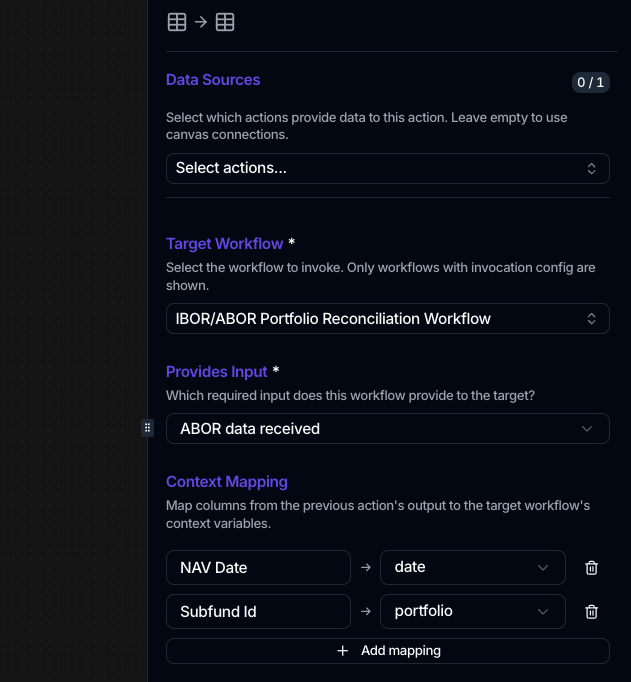
In the parent workflow, add the Invoke Workflow action and configure it in the side panel:
- Target Workflow is the workflow to run. Only workflows that have invocation settings turned on appear here.
- Provides Input declares which of the target's required inputs this invocation satisfies. It appears when the target defines required inputs.
- Context Mapping feeds the target's context variables. Click Add mapping and pair a Source column from the previous action's output with a Target variable. It appears when the target defines context variables.
The Invoke Workflow action has no field/operator/value condition and no "wait for completion" option. What decides whether the child runs is its Required Inputs: the child stays pending until every required input has been provided, then fires. To gate a step on a data condition instead, use the conditions built into specific actions, such as a task trigger's status and priority filters, or the Create Task action's conditional creation.
Track invocations with trigger states
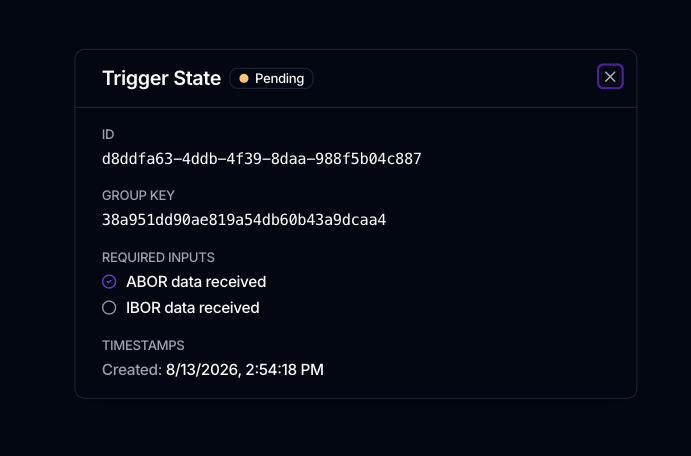
An invokable workflow that's waiting on its inputs shows up in the Trigger States tab of the Workflow section. Each row is one pending invocation, with columns for Status, Inputs, Context, Created, and Triggered, and a status filter.
| Trigger state | Meaning |
|---|---|
| pending | Waiting for one or more required inputs |
| ready | All required inputs received; about to run |
| triggered | Fired; the run has started |
| expired | Timed out before all inputs arrived |
If a child workflow never runs, check its trigger state here: a pending state means an expected input hasn't been provided yet.