Executions
Inspect workflow runs and troubleshoot failures.
Every time a workflow runs, Spark records an execution. The Executions tab in the Workflow section is where you watch progress, confirm success, and trace a failure to the step that caused it.
The executions list
Open Workflow, then the Executions tab. Each row is one run, with columns for Workflow Name, Context, Progress, Status, Created, and Updated. Use Refresh to pull the latest state, or the search box to find a run by workflow name or status.
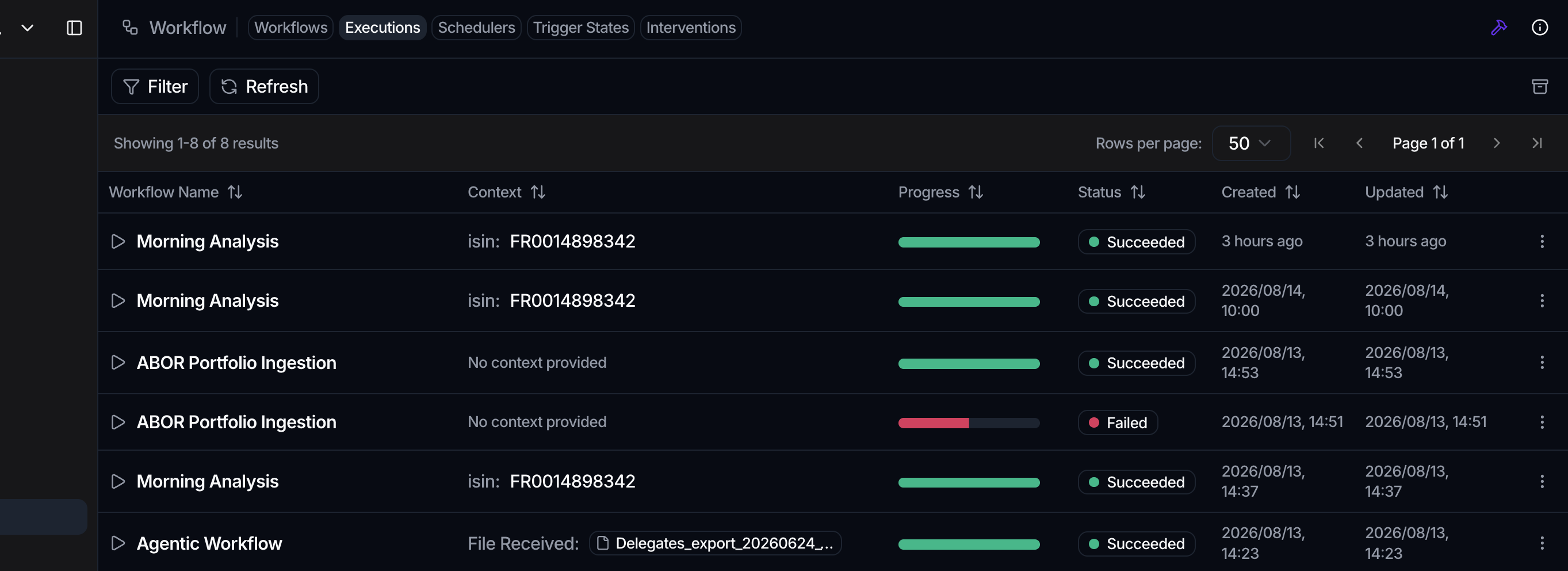
The Status badge tells you where a run stands:
| Status | Meaning |
|---|---|
| not started | Queued, has not begun |
| in progress | Currently running |
| succeeded | Finished, all steps passed |
| failed | Stopped on an error |
| paused | Held, for example on a review step |
| awaiting review | Waiting on a human decision |
A run that shows awaiting review is paused on a Human Review step. See Human-in-the-loop for how to clear it.
Inspect a single run
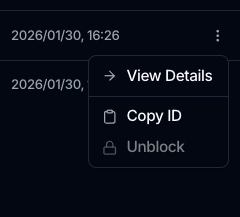
- In the executions list, open the row menu and choose View Details.
- The run opens on the canvas alongside the Execution Summary panel.
- The Run Details section shows the Run ID, Last Updated, Status, Steps Completed as a completed-over-total count, and Duration.
- The Action Details section lists every action. Each shows its Status, a Status Reason, and a Duration.
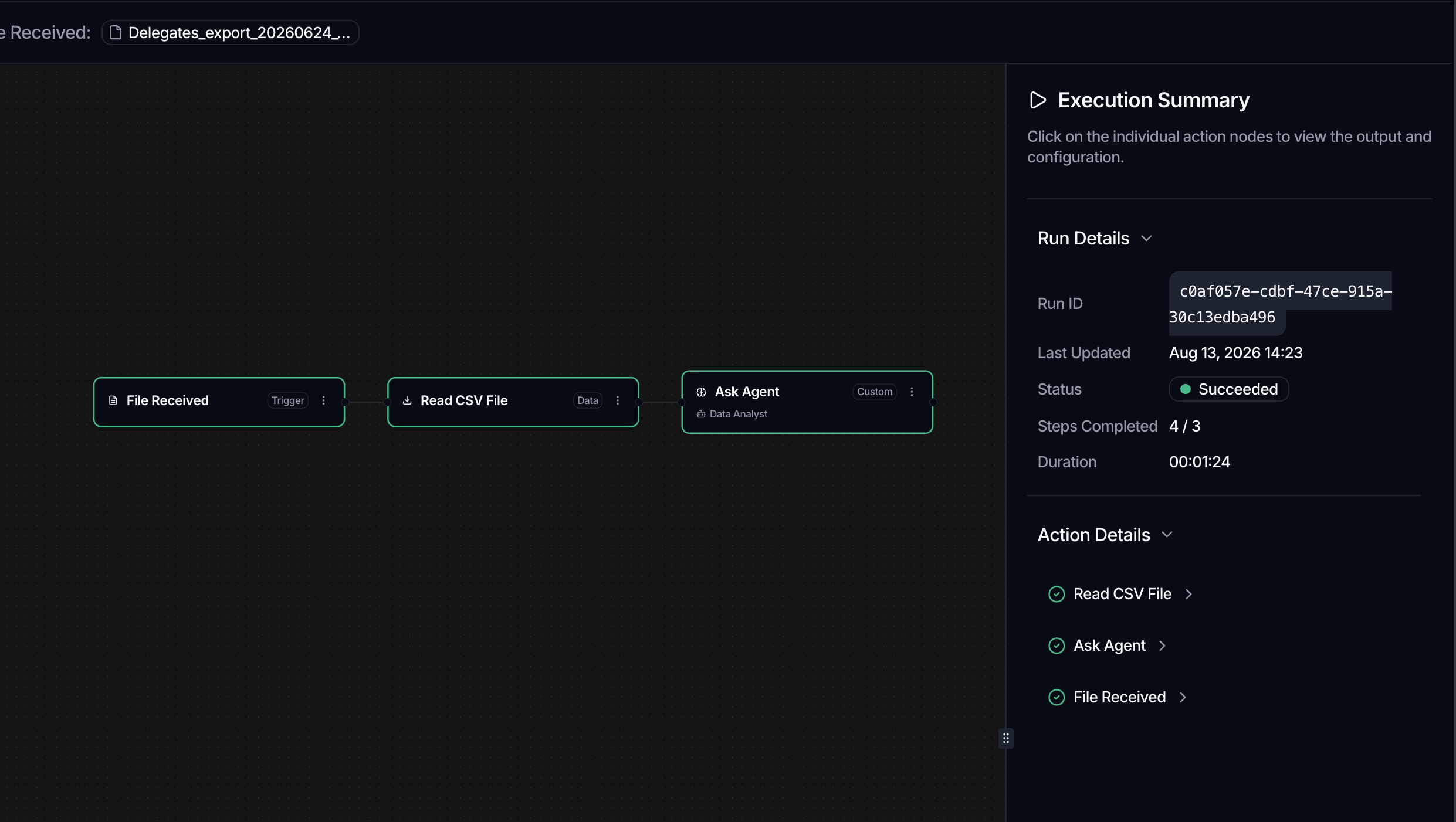
To dig into one step, click its node on the canvas to view that action's output and configuration. For an Ask Agent step, the details also show an Agent activity section above the output, with the agent's reasoning and tool steps and, when the model reports it, the token usage for the step.
A run's details are built from Spark's own record of the run rather than from the engine that executed it, so a run's history stays readable even when the execution engine is slow or briefly unavailable. If a run's details once came back empty during an incident, that is what changed.
Read action statuses
Within a run, each action carries its own status: Pending, Running, Succeeded, Skipped, Omitted, Failed, or Error. A red Failed or Error badge marks the step that broke, and its Status Reason usually explains why.
Recover from a failure
For a run whose status is failed, the row menu offers two recovery options:
- Retry Failed Actions re-runs only the steps that failed, in place, keeping the same execution.
- Resubmit Workflow creates a new execution and re-runs every action from scratch. Spark asks you to confirm before it does.
Both apply only to a failed run. A run that's paused or awaiting review hasn't failed, so it isn't rerun: you move it forward by resolving its review in the Interventions tab, not with a recovery action. See Human-in-the-loop.
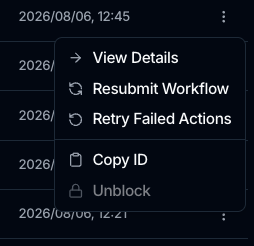
Copy ID copies the execution ID, which is useful when raising a support request.
If a scheduled or file-based workflow never appears in Executions, it may not have triggered yet. Check the Trigger States tab: a state of pending means Spark is still waiting on required inputs, while ready, triggered, and expired show how far the trigger got.
Where to go next
- Clear a paused run in Human-in-the-loop.
- Set up recurring runs in Scheduling.
- Revisit the building blocks in Build a workflow.